
Nov
news
VT Site Scanner for Plesk: malware monitoring for every hosted website
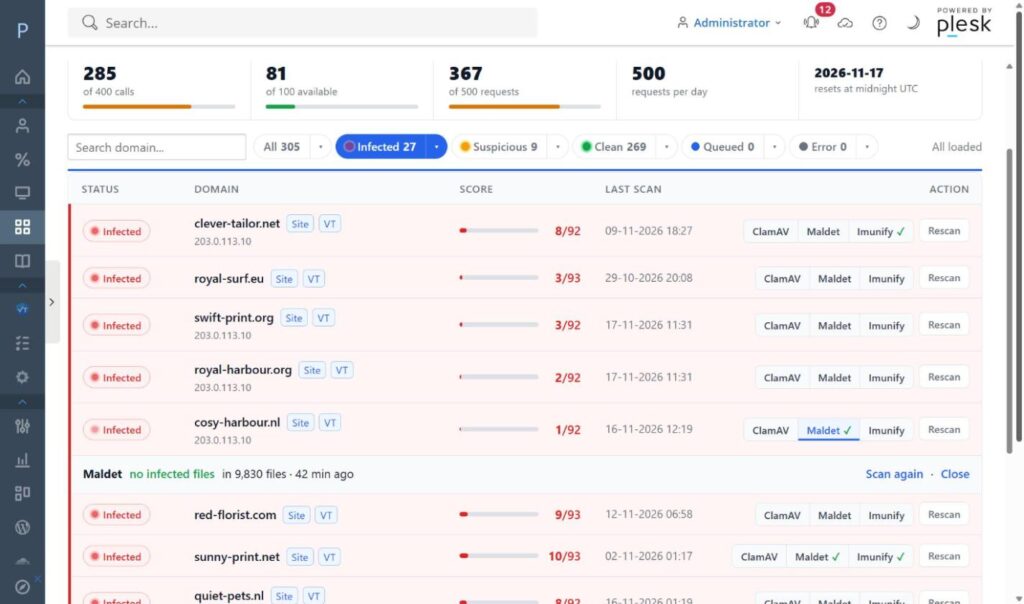
New app: VT Site Scanner for Plesk. It is a free Plesk extension that checks every website on a server for malware, phishing and spam with VirusTotal. When a site looks wrong, one click scans its files with ClamAV, maldet or Imunify, right from the same screen.
Why I built it
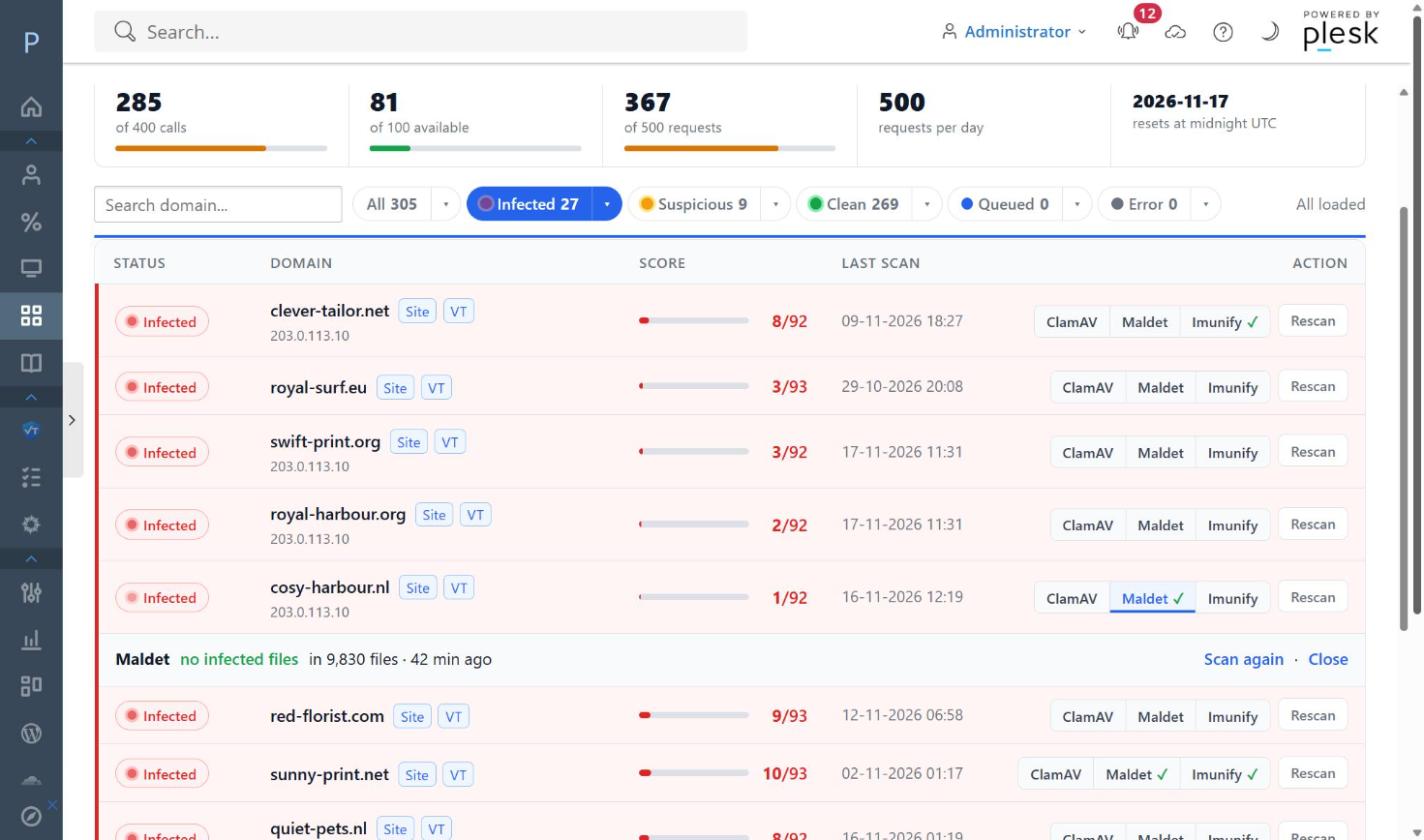
Plesk comes with a VirusTotal check, but on a server with a few hundred websites it ran out of API calls every day. Every morning the same message: the quota was used up and part of the sites had not been checked. So I wrote a scanner that is careful with every call: it remembers results, spreads the free daily quota over a nightly background scan and manual rescans, and checks every hosted site in turn.
What it does
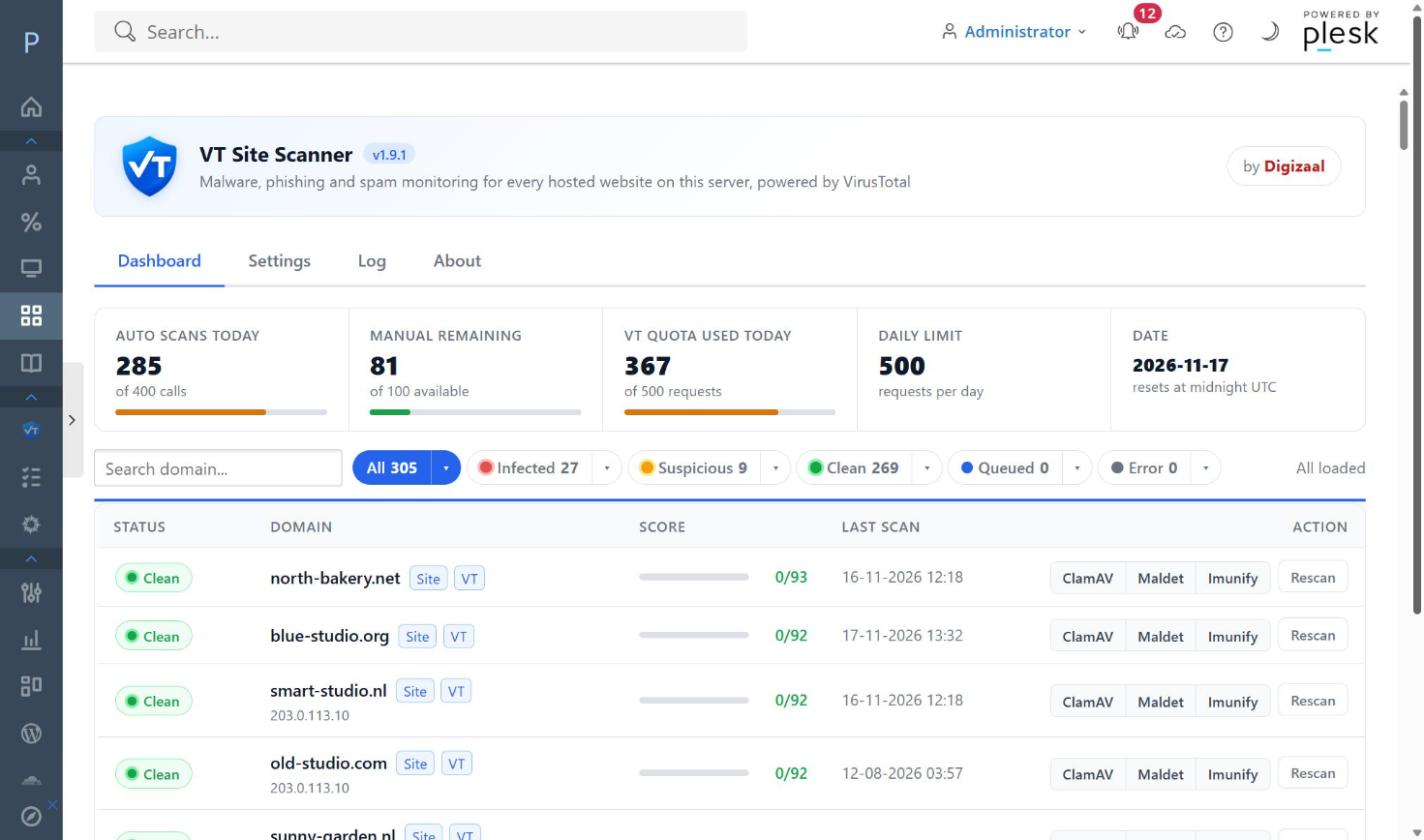
- Every hosted website: all active domains and subdomains with hosting, whatever they run (WordPress, Joomla, plain HTML). Or WordPress sites only, if you prefer.
- Clear status per site: clean, suspicious or infected, with the VirusTotal score and a link to the full report.
- Stingy with API calls: smart caching, a daily budget and a background scan that respects the 4 requests per minute of the free VirusTotal key.
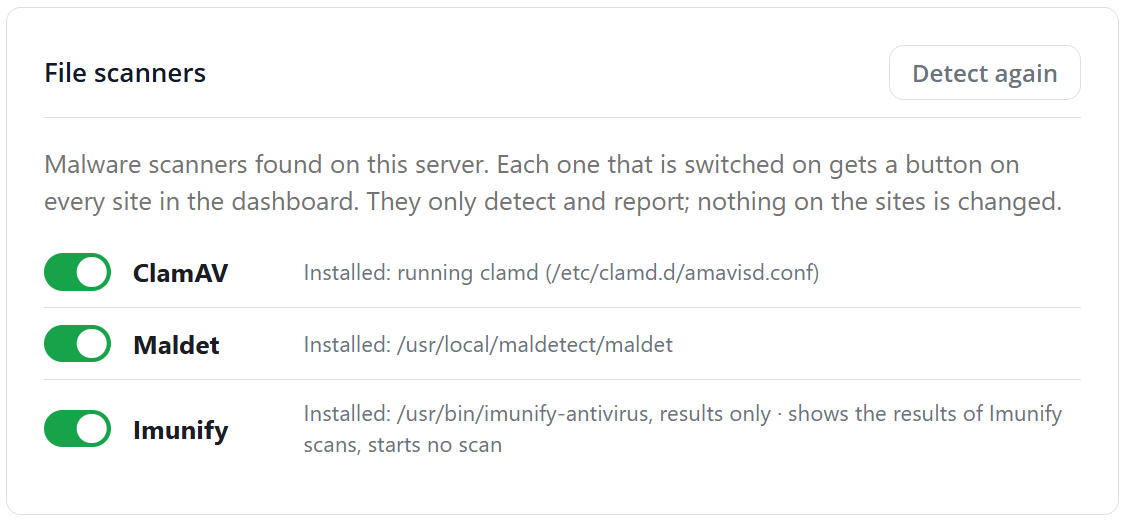
- File scans on demand: a scanner bar on every site with a button for each malware scanner found on the server: ClamAV, Linux Malware Detect (maldet) and Imunify. One click shows the scan progress and then the infected files.
- E-mail notifications when a site becomes infected or suspicious, as one summary instead of a flood of mails.
- For admins, resellers and customers: everyone sees only their own sites.
Cleaned, but still red?
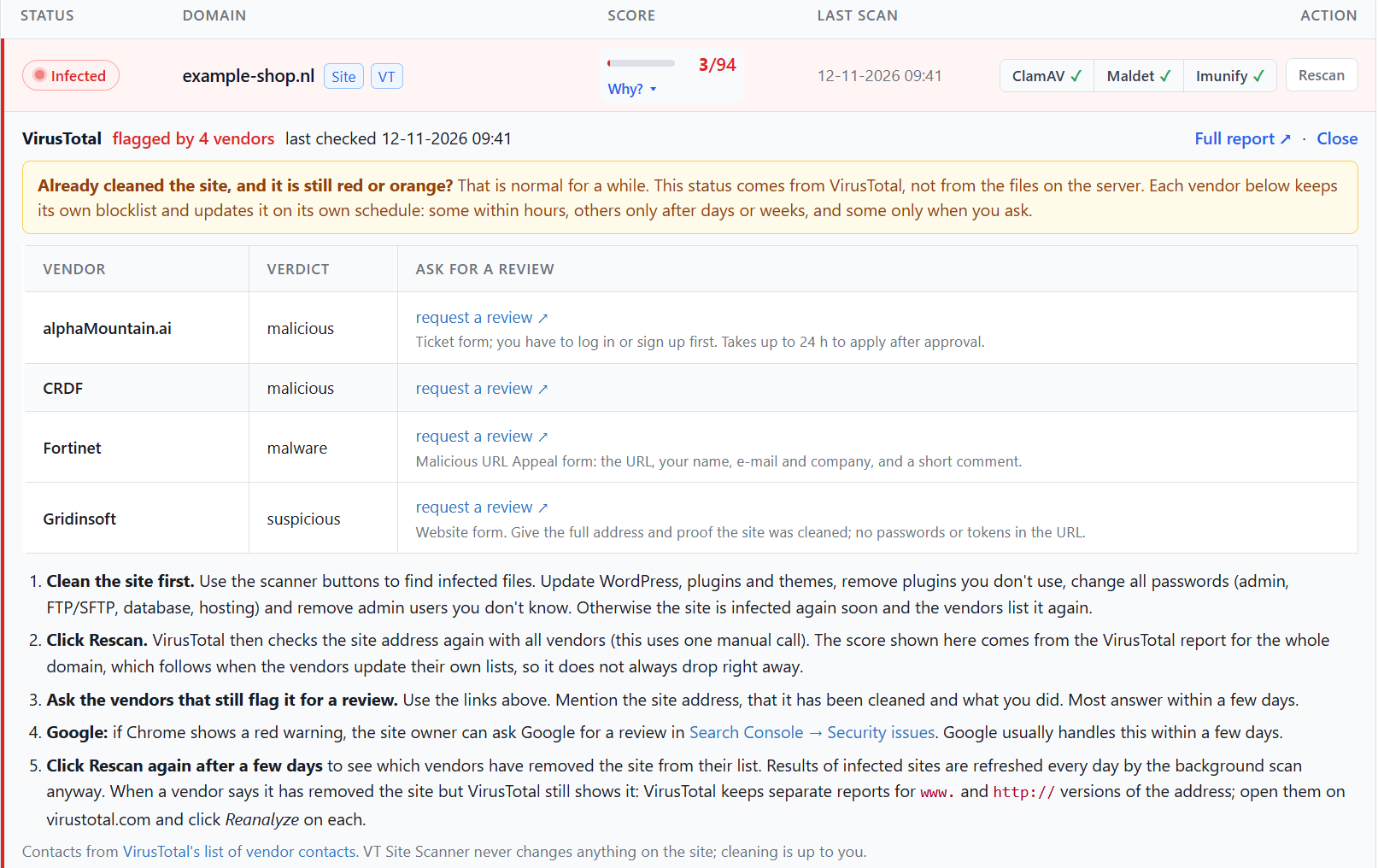
A site can be clean and still be listed as infected for days or weeks. The status comes from VirusTotal, and every security vendor keeps its own blocklist. Click the score of a site in VT Site Scanner and you see which vendors flag it, with a review link per vendor and the steps from cleaning the site to getting it delisted. So the extension helps the webmaster actually solve the problem, not just report it.
Detection only
VT Site Scanner never changes anything on your sites. It does not clean, move, quarantine or delete files and it does not touch databases. It looks and reports, so you decide what to do. That is also why Imunify is read-only here: the extension shows the result of Imunify’s own scans, but never starts one, because Imunify may be set to clean up what it finds.
In Settings → File scanners you see which scanners were found on the server, and you can switch each one on or off.
Free and open source
VT Site Scanner runs on Plesk Obsidian for Linux and needs a VirusTotal API key; the free key is enough. ClamAV, maldet and Imunify are optional. The extension and the installation guide are on GitHub.
